





Robinhood app pros and cons
- You can find events with fast settlements
- Offers easy entry
- Apps for Android and iOS devices
- Small screen size when looking at charts
Quick look at how the Robinhood app works
The Robinhood app is a downloadable option for anyone who wants to use the prediction market service on a mobile device. Using the app, you can trade event contracts, which involve purchasing Yes or No contracts for an event. Each contract is priced between $0.01 and $0.99, and you get a $1 payout if you predict the correct outcome of a real-world event. Of course, you can also make a wrong prediction, which means you get no payout and end up with $0.
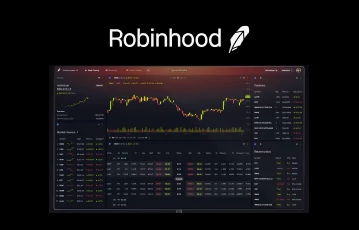
The low cost of event contracts makes them accessible to everyone, so it's a great option for traders on a tight budget. You can select events and buy contracts directly in the Robinhood app for iOS and Android, just as on desktop. The app interface is similar to the desktop version, but it has less clutter and faster navigation. You can quickly open an event, and the contracts appear just below the chart, so you don't have to scroll too far to find them.
Using the Robinhood app offers several benefits, with many traders able to process transfers much faster. You'll also get to adjust your notification settings so you can get updates on new markets or the latest offers as soon as they drop. The option to access the app from anywhere means you'll also be able to trade and adjust your contract holdings on-the-go, which can come in handy when you need to reduce your exposure while far away from your computer.
| Robinhood General Information | Details |
|---|---|
| Welcome Bonus | Up to $200 in stocks |
| Mobile Apps | Yes, Android and iOS apps |
| Minimum Age Requirement | 18+ |
| Verification Requirements | Social Security Number (SSN), selfie, and government-issued ID |
| Prediction Markets | 10+, including Sports, Crypto, Commodities, Climate, Education, Financial, Economics, Entertainment, Technology, Politics, and more |
| Fees | Yes ($0.02 contract purchase fee, $0.02 early-exit fee, and 1.75% instant withdrawal fee) |
| Regulator | Commodity Futures Trading Commission (CFTC) and National Futures Association (NFA) |
The Robinhood app ratings and performance
Robinhood has been in operation for a long time, and this has given the operator time to perfect its mobile services. If you try out the Robinhood app for iOS and Android, you'll notice everything works smoothly. Overall, the app is a fine-tuned part of the Robinhood ecosystem, offering access to features such as investing, options trading, prediction markets, and a learning segment.
While we rate the apps very highly, you'll also find that others consider them top quality on the App Store and Google Play Store. Depending on the store you visit, these are the app ratings:
Robinhood Android App
It has a 4.4-star rating based on 528,000+ reviews. Traders applaud the ease of navigation, low transaction fees, and the Robinhood Gold option.
Robinhood iOS App
The iOS version has a 4.3-star rating from more than 4.8 million reviews.
Downloading the Robinhood app and setting up an account
To trade Robinhood event contracts, you need to get the app and set up an account. The process isn't as fast as on other prediction markets, since you have to apply to trade, but you should be set up within a few hours if everything goes well. To get started, follow these steps to get the app and create an account:
- Click on our links to open the Robinhood website and find the app download option.
- Install the app and open it for the first time.
- Create a regular Robinhood account if you don't already have one.
- After creating the account, tap the profile icon, then the hamburger icon to open the menu.
- Select investing from the menu and scroll to the Futures and events contracts trading.
- Tap the Apply to Trade Events contract button.
- Complete the application by following the prompts, then submit it.
- Once it's approved, you'll be able to access the prediction markets and trade event contracts.
Prediction markets you can trade on the Robinhood app
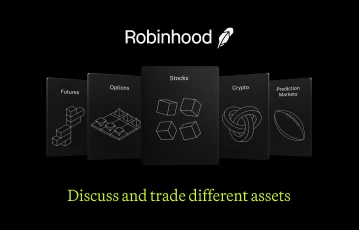
Robinhood offers various prediction markets to trade in, and you'll find more than 10 of these markets. For US traders, the Robinhood sports markets will be a popular option, since you'll be able to trade on NBA, football, and soccer events in most states. However, the sports prediction market isn't available in all states, so you'll have to confirm whether you can use it in your state.
Although there are specific markets you can find, Robinhood may sometimes extract a specific category if many traders are paying attention to it. For example, we've seen separate World Cup and Iran categories on prediction markets. When things are more relaxed, these are some of the standard prediction markets you'll find at Robinhood:
- Sports
- Cryptocurrency
- Entertainment
- Technology
- Metals
- Education
- Elections
- Economics
- Climate
- Commodities
- Financial
We've traded on events in most of these markets during our Robinhood prediction markets review, and we provide a breakdown of how to do so if you're interested.
Trading fees on the Robinhood app
Since we already have an article, Robinhood fees explained, that gives a detailed explanation of the trading fees, we'll only provide a summary of what to expect here. On the Robinhood app, you'll have to pay a fee when you purchase a contract, make an early exit from a trade, or process an instant withdrawal. Robinhood charges a flat fee on trades, as you'll see below:
Fees for Purchasing Contracts
Fees for purchasing contracts: $0.02 per contract (consists of a $0.01 Robinhood fee and $0.01 exchange fee)
Fee for Early Exit
Fee for early exit: $0.02 per contract
Instant Withdrawal Fee
Instant withdrawal fee: 1.75% fee, which caps out at $150
Conclusion: Easy access to popular prediction markets with the Robinhood app
Everyone loves having a mobile app for their prediction market trading, and Robinhood delivers on this front. You'll find a fully functional Robinhood app for iOS and Android, with the same features you get on the desktop website, but with faster load speeds, push notifications for updates, quicker sign in, and a more user-friendly interface.
Trading on the mobile app is seamless, and many traders who've used it confirm that it meets all their trading needs. You can tweak certain features of your mobile app to improve the performance, and you'll be able to switch seamlessly from prediction market trading to investing and other Robinhood services.
Robinhood is open to anyone who is 18 or older. If you meet this age requirement, you can click on the links on this page to get the app, set up an account, and start trading.
Robinhood app for iOS and Android FAQs
Who can use the Robinhood app?
The Robinhood app is open to new and existing members, and you can register for an account directly in the app. To be eligible for an account, you must be a US resident aged 18 or older. Robinhood will perform an identity verification, which will require you to submit a government-issued ID, provide your Social Security Number (SSN), and upload a selfie.
Will you find Robinhood apps for iOS and Android or just access via a mobile browser?
You can download the Robinhood app to your Android or iOS device. However, the operator also lets you log in via a mobile browser if you prefer.
What prediction markets are available on the Robinhood app?
The Robinhood app has all the prediction markets you find on the official website. You'll have the option to trade on events in the Robinhood election markets, sports, climate, elections, crypto, economics, financial, and commodities.
What are some issues you should always consider when using the mobile app?
To avoid exposing yourself to risk, before placing a trade, you must confirm that you have good internet connectivity and mobile battery life. These factors will have a significant impact when you're opening short-term trades, like the 5 minute crypto markets. Any unplanned downtime can affect your ability to adjust trades or get out early to minimize your losses.